Pages & Integration
This page documents all the pages of the report project, which container renders them, which role they need and which API they call.
1. The chain
The pages are not independent, they follow the KPI chain. From the raw query to the rendered report:
Data Collector  →  DC Results  →  Data Processor  →  Widget  →  Report
(execute) (process) (populate) (render)- A Data Collector is the query. We run it from the DC
executepage and it produces the DC results. - A Data Processor combines one or many collectors. We run it from the DP
processpage and it produces the rows. - A Widget points at a DP and carries the template name. The
populatepage is the widget with its data, therenderpage is the widget as it will appear on a report. - A Template is the JSON descriptor of the widget. More about it in Creating a template.
- A Report is the container.
dashboard_reportwidgetsis the link record which puts a widget on a report.
2. Show pages and the resolvers
Every entity also has a show page and two resolvers:
/{resource}/{id}          the show page
/{resource}/id/{id}       resolves by id and redirects
/{resource}/slug/{slug}   resolves by slug and redirects
The slug resolver calls the dedicated endpoint {resource}/by_slug/{slug}, so a report can be linked by a readable slug instead of a numeric id. All three need the SHOW action of that resource.
The identifier decides which call we make. A numeric one goes to {resource}/{id}, anything else goes to by_slug, and the id/ and slug/ routes force the mode. Before we put an identifier in the URL of the id call we validate it, and a slug which doesn’t resolve returns the 404 page instead of an error.
The show pages are not all the same:
| Page | Container | What is on it |
|---|---|---|
/dashboard-reports/{id} | ReportDetail | The report, its widgets through dashboard_reportwidgets?report={id}, and the link to the render page |
/dashboard-widgets/{id} | WidgetDetail | The widget, its DP, its template, and the links to filter, populate and render |
/dataanalysis-datacollectors/{id} | DataCollectorClient | The collector, its parameters (dataanalysis_datacollectorparameters?dataCollector={id}) and its query |
/dataanalysis-dataprocessors/{id} | DataProcessorDetail | The processor and its collectors (dataanalysis_dataprocessorcollectors?processor={id}) |
/templates/{id} | Template | The template record and its JSON source |
3. Action pages
These are the pages which are specific to this project. They are the ones we use to test the chain step by step.
3.1 DC Execute
/dataanalysis-datacollectors/{id}/execute role action: EXECUTEContainer: DcExecuteClient.
We run the collector and we display the result. The page reads the parameters of the collector, lets us fill them, and calls dataanalysis_datacollectors/{id}/execute. The raw data can be copied from there (issue #86 ), and the export formats go through dataanalysis_datacollectors/{id}/execute/{format}.
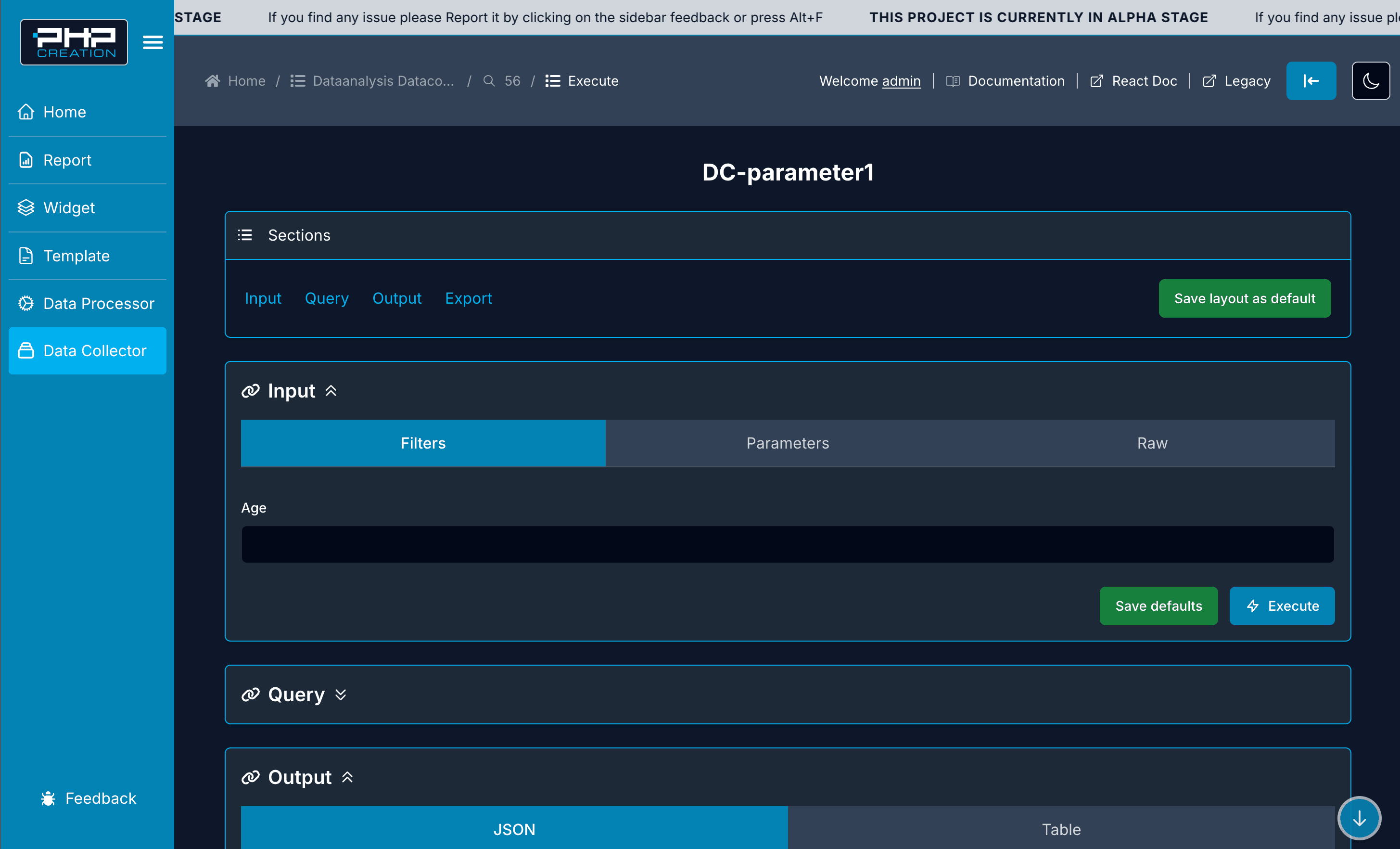
The page has four sections: Input (Filters, Parameters, Raw), Query, Output (JSON or Table) and Export. Save defaults stores the filled parameters in the KVS, so we don’t type them again on the next run.
3.2 DP Process
/dataanalysis-dataprocessors/{id}/process role action: PROCESSContainer: DpProcessClient.
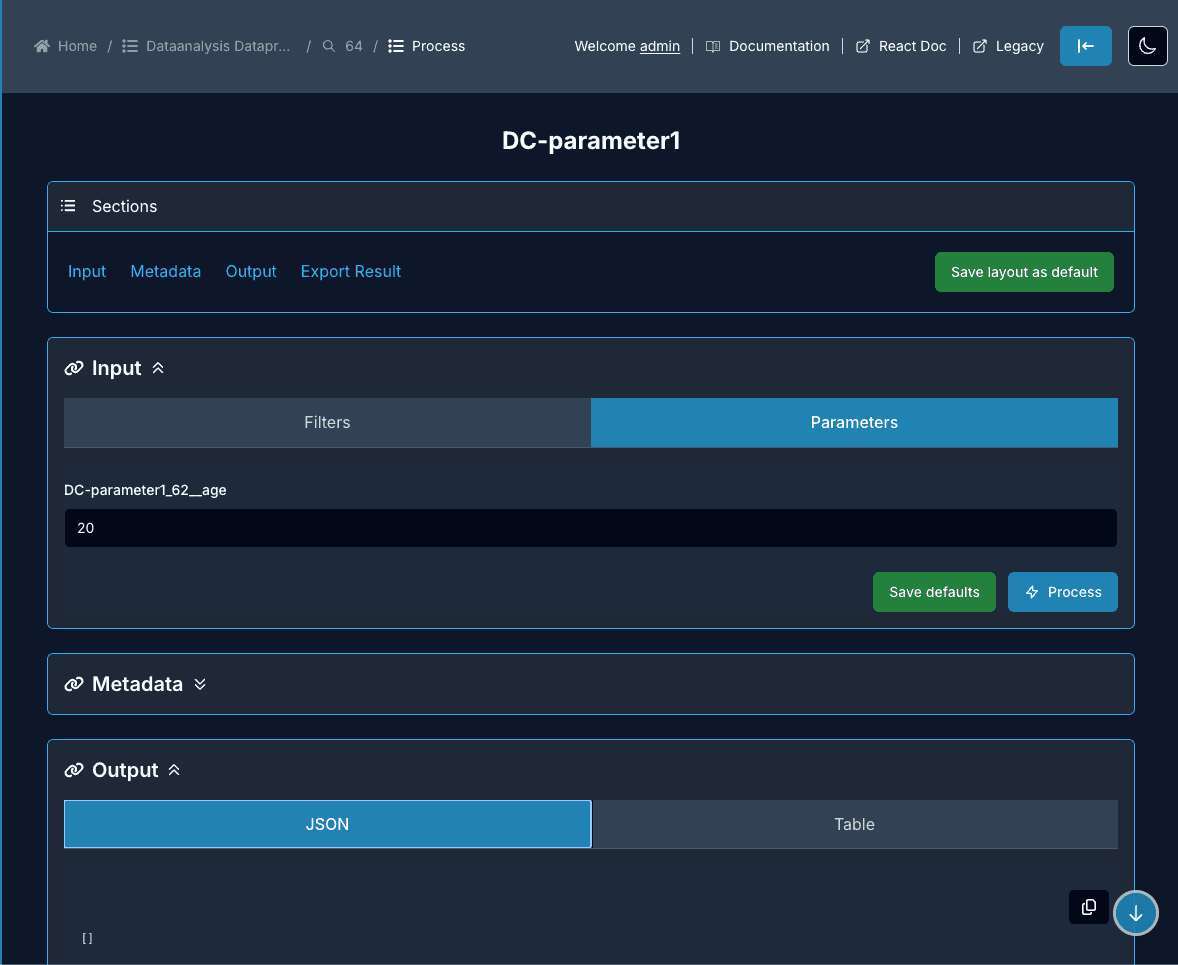
Same idea but for the processor. We take the parameters from dataanalysis_dataprocessors/{id}/process/metadata, we send them to dataanalysis_dataprocessors/{id}/process, and we display the rows which the widget will receive. The {format} and the async/ variants are used for the exports.
The parameters of the process come from the metadata call, one entry per collector parameter with its type and its defaultValue:
3.3 Widget Filter
/dashboard-widgets/{id}/filter role action: FILTERContainer: WidgetFilterClient.
The filters of the widget, coming from dashboard_filters?dataCollector={id}&order[priority]=asc. This is where we test a filter before putting it on a report. The default values are stored in the KVS.
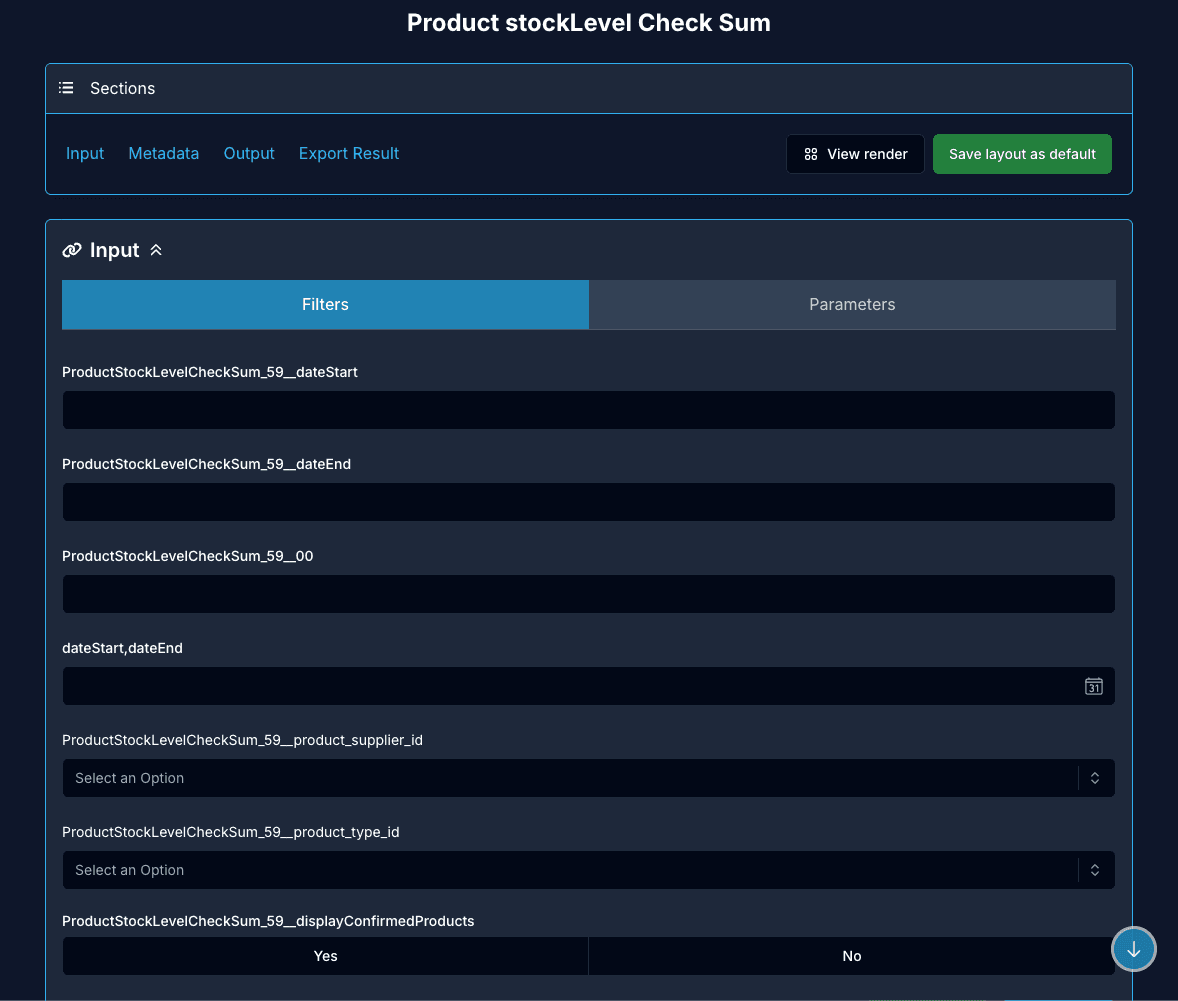
The sections are Input (Filters and Parameters), Metadata, Output and Export Result, and View render sends us to the render page of the same widget. Every field is named after its collector prefix, like ProductStockLevelCheckSum_59__dateStart, so we see which collector the filter belongs to.
3.4 Widget Populate
/dashboard-widgets/{id}/populate role action: POPULATEContainer: WidgetPopulateClient.
The widget with its data. We read dashboard_widgets/{id}/metadata to know the parameters and the result columns, then we call dashboard_widgets/{id}/populate. If a widget is empty on a report, this is the page which tells us if the problem is the data or the template.
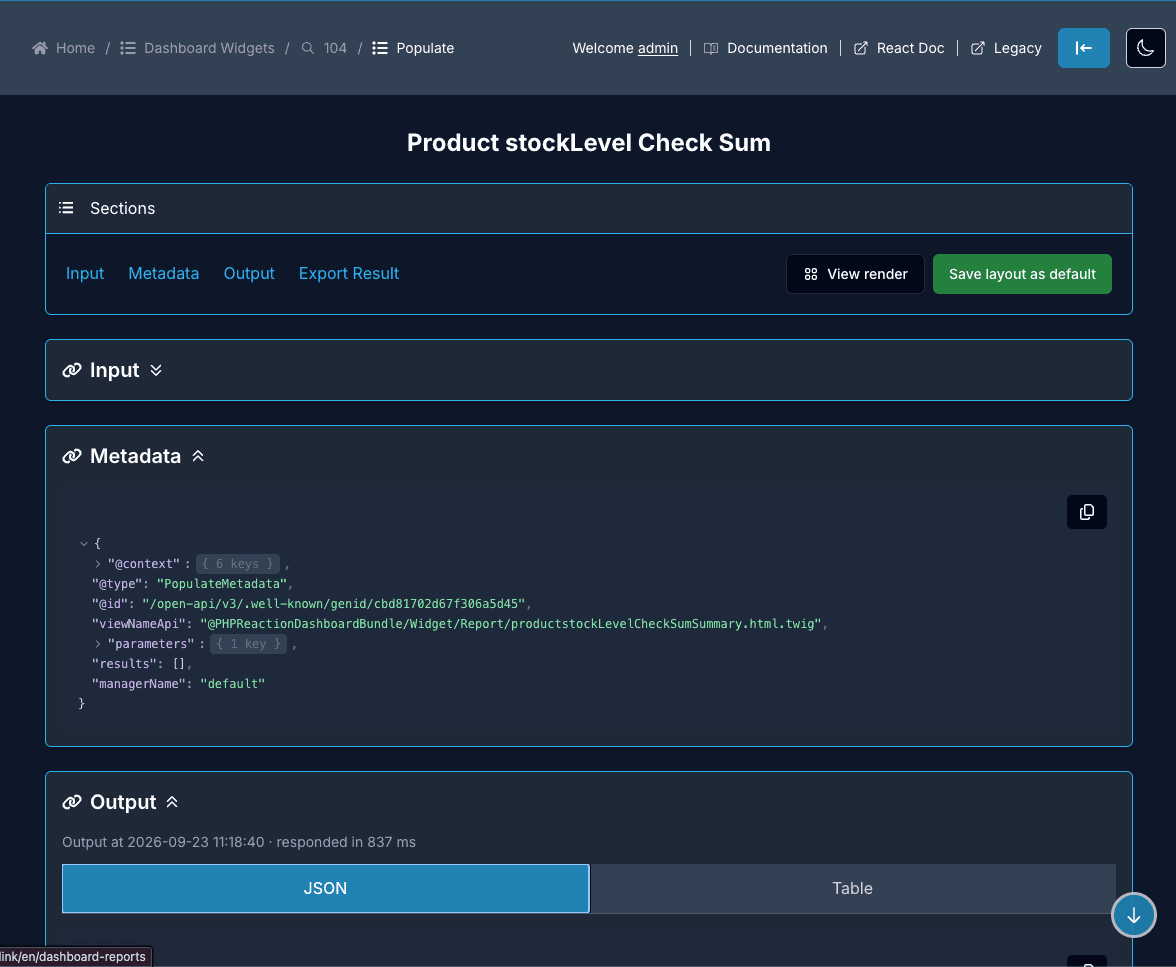
Metadata shows what the widget declares, the viewNameApi of its template and its parameters. Output shows the rows, in JSON or in a table, with the time the call took. Same sections as the filter page.
3.5 Widget Render
/dashboard-widgets/{id}/render role action: RENDERContainer: WidgetRenderClient.
The widget as it will be displayed on the report, template included. One widget alone, so we can work on a template without opening the whole report.
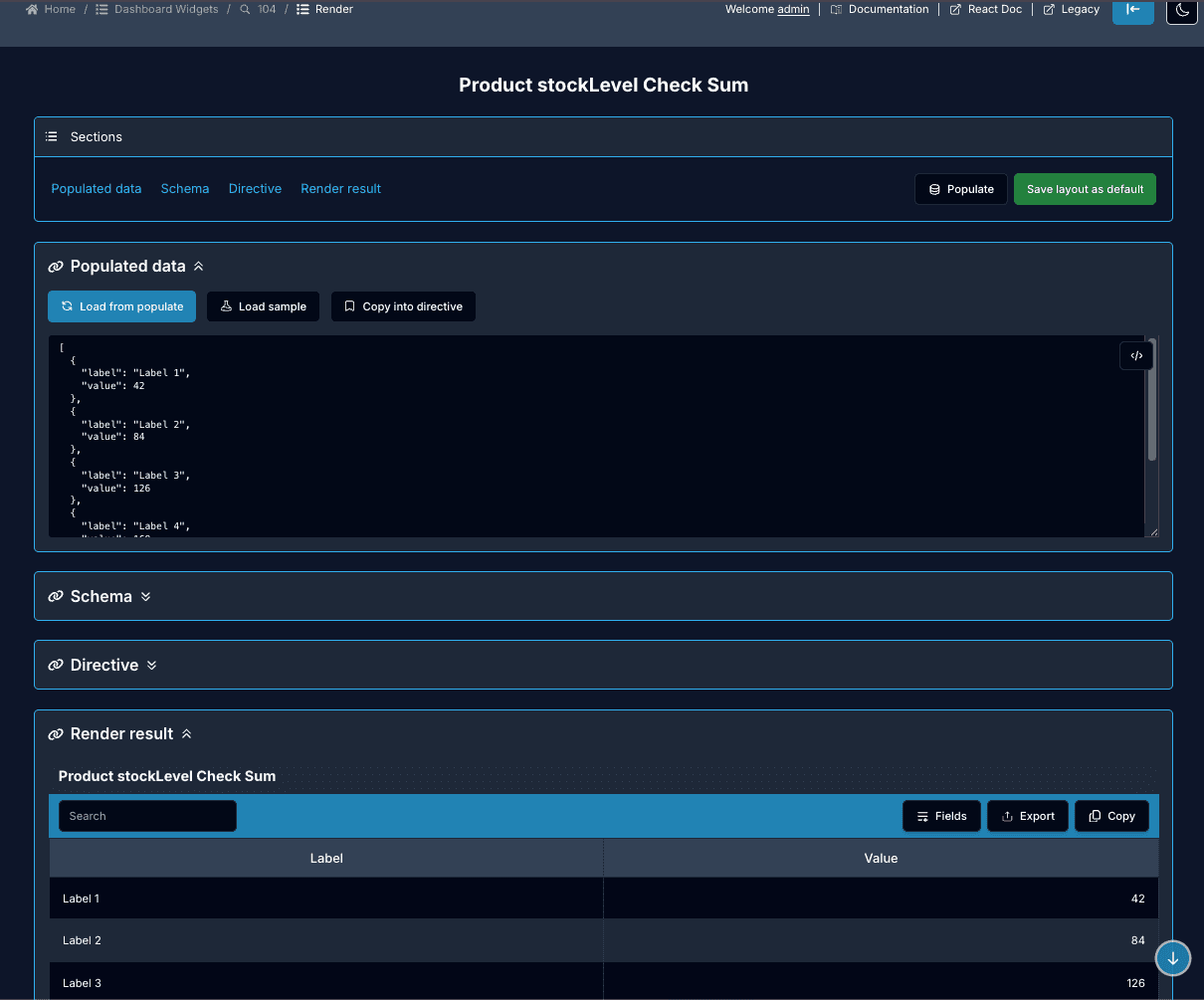
The sections are Populated data (Load from populate, Load sample, Copy into directive), Schema which tells us if the data and the directive are valid, Directive which is the template JSON, and Render result.
3.6 Template Render
/templates/{id}/render role action: SHOWContainer: TemplateRender.
The template rendered alone, with the sample data of the descriptor instead of a DP result. This is the fastest loop when we are writing a template.
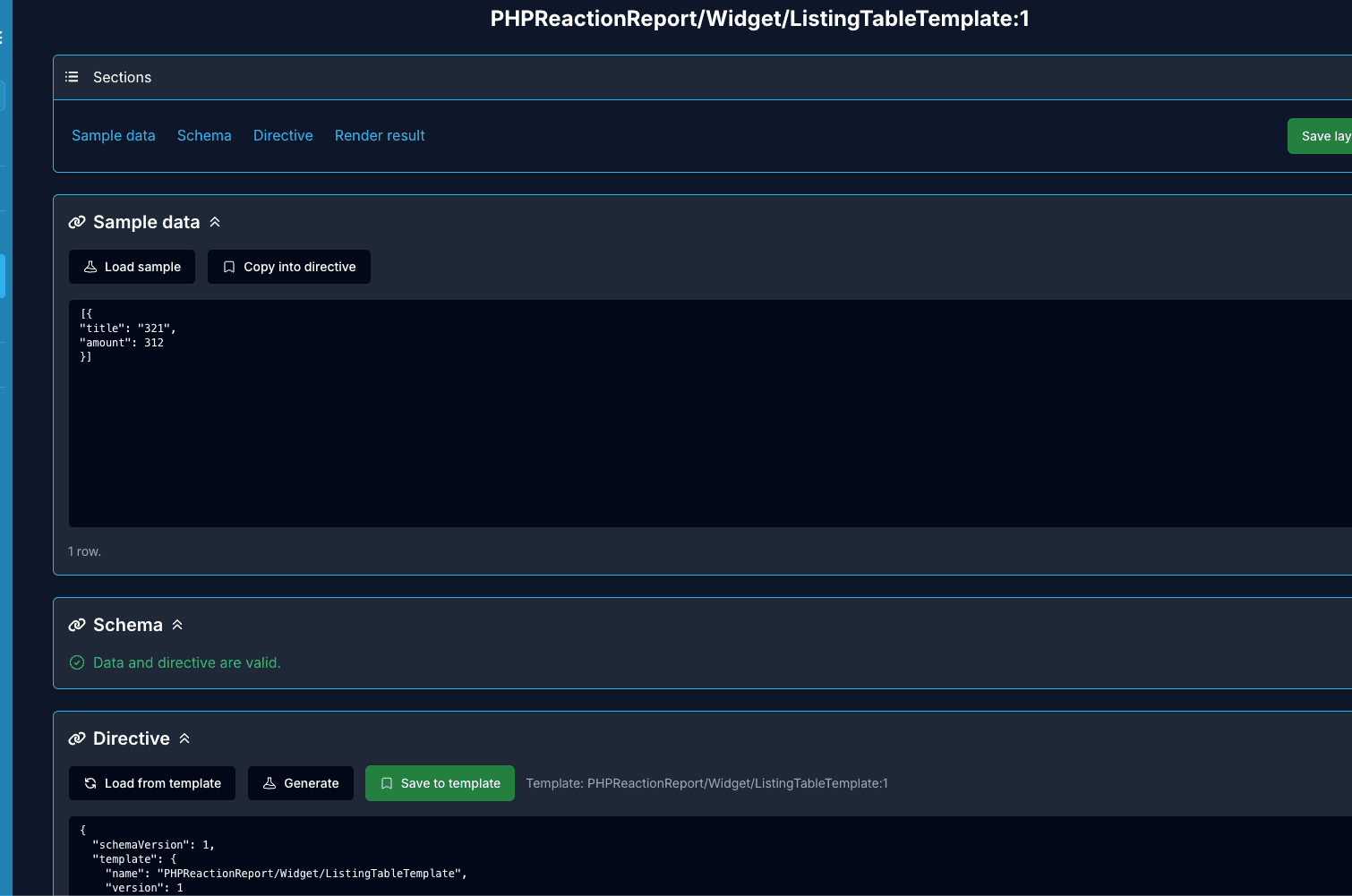
Same sections as the widget render, but the data is the sample of the descriptor. From the Directive section we can Load from template, Generate and Save to template, so the whole loop stays on one page.
3.7 Report Render
/dashboard-reports/{id}/render role action: RENDERContainer: ReportRenderClient.
The page renders the skeleton of every widget first (RenderSkeleton), then it populates each one with its DP result, so the grid doesn’t jump while the data is loading. The filters are pulled from the widget metadata at render time.
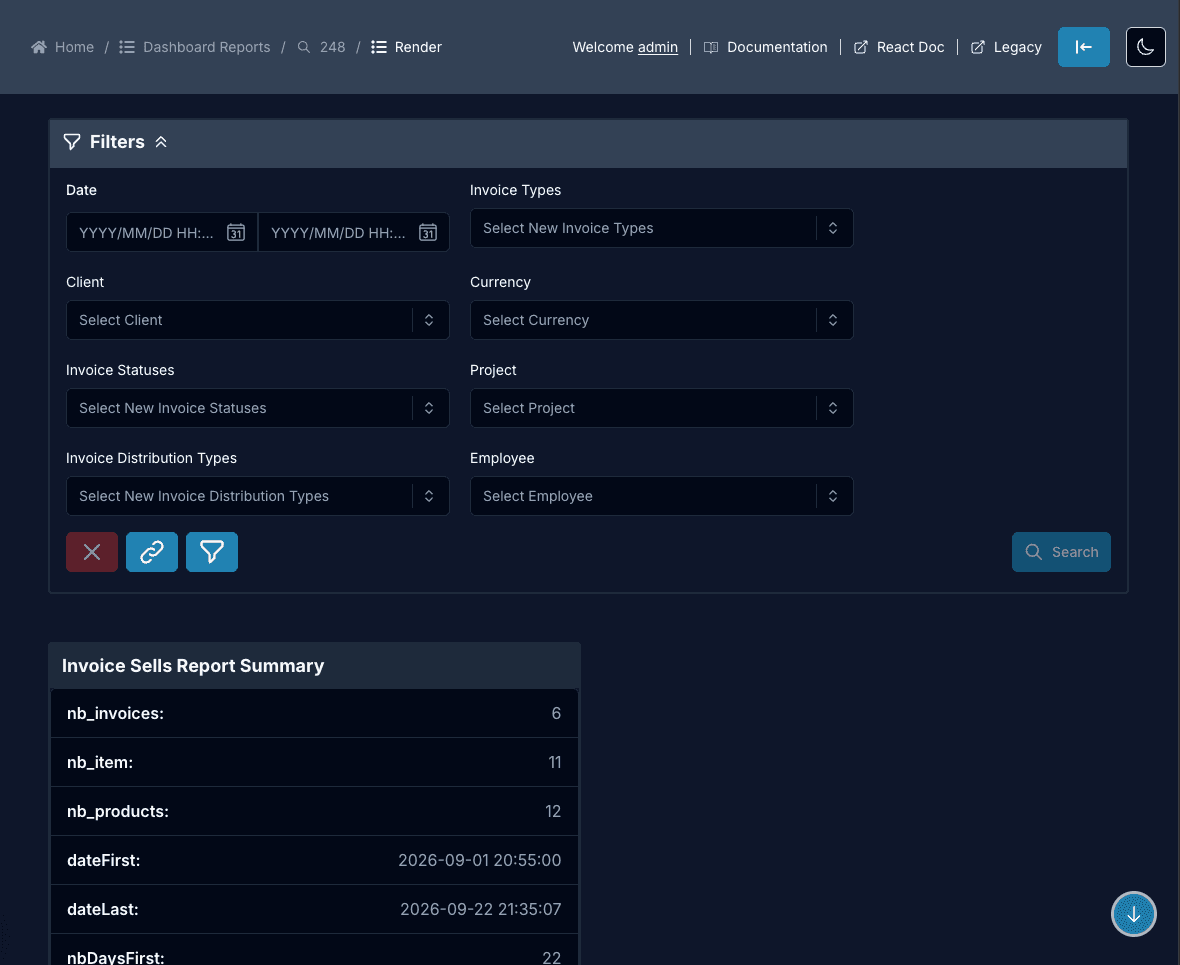
The filters panel is on top, and the widgets follow in the grid, each one with the colSpan of its template.
The render pages have their own role action (RENDER), separated from SHOW.
A user can be allowed to see a report record and not to render it.
5. API calls
https://{tenant}{NEXT_PUBLIC_API_PHPR_ENV}.phpr.link/{API_ENDPOINT_VERSION}/The default version is open-api/v3 and the locale is sent as Accept-Language: {locale}_CA. The URL is built by buildPhprUrl() and the call is made by callPhprApi(), both coming from frontend-utils.
The endpoints used by the pages above:
| Endpoint | Used by |
|---|---|
dashboard_reports/{id} | Report show and render |
dashboard_widgets/{id} | Widget show and render |
dashboard_widgets/{id}/metadata | Populate and render, the parameters and the result columns |
dashboard_widgets/{id}/populate | Populate and render, the data of the widget |
dashboard_reportwidgets?report={id} | The widgets of a report, ?widget={id} for the other way |
templates/{id}, templates?name={name} | The template of a widget |
dataanalysis_datacollectors/{id}/execute | DC Execute, /{format} for the exports |
dataanalysis_datacollectors/{id}/get_query | The query of the collector on the show page |
dataanalysis_datacollectorparameters?dataCollector={id} | The parameters of a collector |
dataanalysis_dataprocessors/{id}/process | DP Process, with /metadata for the parameters |
dataanalysis_dataprocessorcollectors?processor={id} | The collectors of a processor |
{resource}/by_slug/{slug} | Every slug route, for reports, widgets, templates, collectors and processors |
dashboard_filters?dataCollector={id} | The filters of a widget, ordered by priority |
keyvaluestore_keyvalues | The KVS, for the listing fields and the filter defaults |
6. Related
- Overview: what the project is
- Creating a template: the JSON we write for a widget
- Template JSON schema: the full schema
- Creating a report: the four API steps end to end