API V3 Import Jobs
The Import Job API uploads a CSV file, stores it as a job resource, and sends the job to the messenger queue for processing. It is a general endpoint secured by the standard IMPORT roles.
Related:
- Import Usage for the CSV format and header actions.
Authorization
Every call requires a user with an IMPORT role. Requests without an import role are rejected.
Create an import job
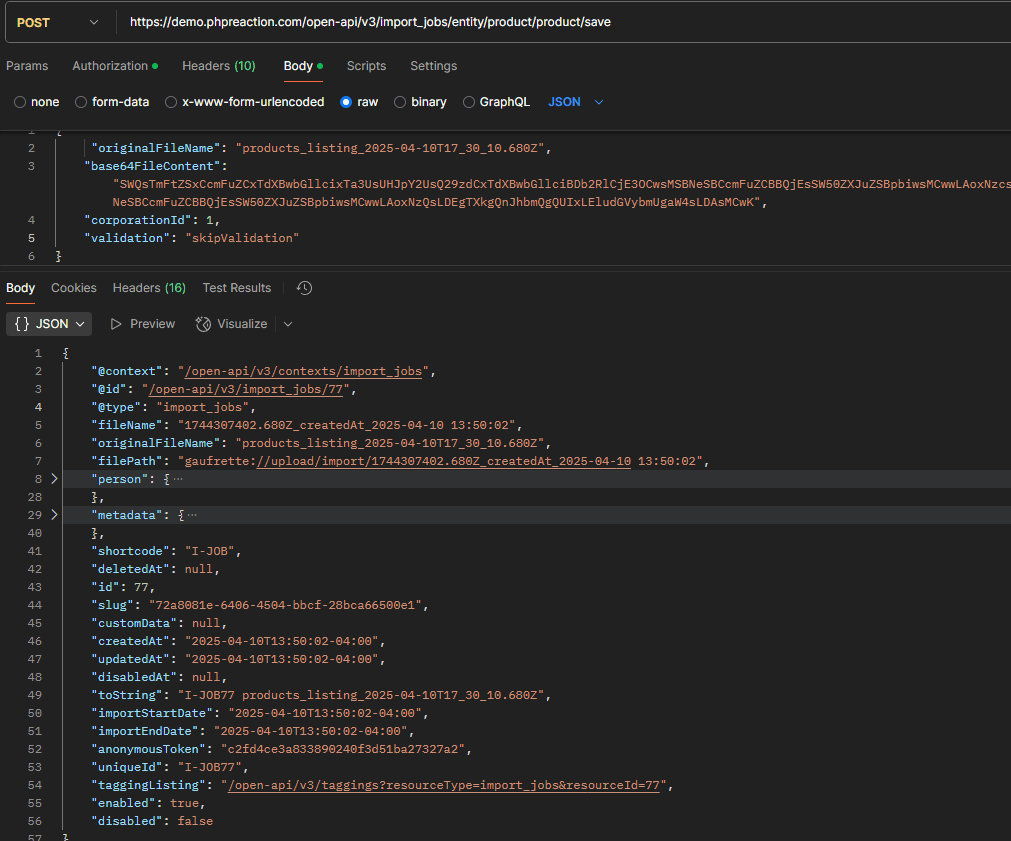
Stores the file and its options as an import_job resource. No rows are written at this step.
POST /open-api/v3/import_jobs/entity/{bundle}/{entity}/save{bundle} and {entity} name the target. For a product import both are product:
POST /open-api/v3/import_jobs/entity/product/product/saveBody
{
  "originalFileName": "test-new-product.csv",
  "base64FileContent": "bm90ZXMsc3VwcGxpZXIsdHlwZSx0cmFuc2xhdGlvbnMvbG9jYWxlLHRyYW5zbGF0aW9ucy90aXRsZSx0cmFuc2xhdGlvbnMvZGVzY3JpcHRpb24KdGVzdCwxLDEsZnJfQ0EsdGVzdCBpbXBvcnQsdGVzdCBpbXBvcnQ=",
  "corporationId": 1,
  "validation": "validate",
  "fieldDelimiter": ",",
  "textDelimiter": "\""
}| Field | Required | Default | Description |
|---|---|---|---|
originalFileName | Yes | Name of the uploaded file. | |
base64FileContent | Yes | The CSV file encoded as base64. | |
corporationId | Yes | The corporation the import belongs to. | |
validation | No | validate | Validation mode. See the table below. |
fieldDelimiter | No | , | Character that separates columns. |
textDelimiter | No | " | Character that wraps a text value. |
The base64 in the example above decodes to this CSV:
notes,supplier,type,translations/locale,translations/title,translations/description
test,1,1,fr_CA,test import,test import
Validation modes
| Value | Behavior |
|---|---|
validate | Validate every entity. If anything is invalid, the import fails and nothing is written. |
skipValidation | Do not validate. Rows are written without validation checks. |
saveValidOnly | Validate every entity and write only the valid ones. |
The mode is applied by the worker during the run, not when the job is created. Uploading a file with invalid rows does not fail this call.
Response
The call returns the created import_job resource, including its id. Keep the id to execute the job in the next step.
Execute an import job
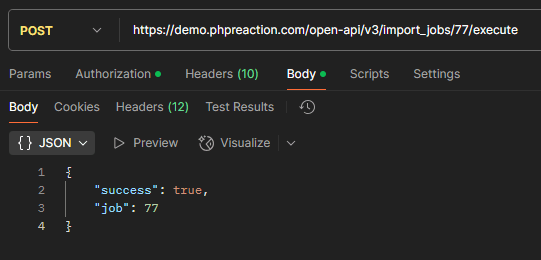
Pushes the stored job to the messenger queue.
POST /open-api/v3/import_jobs/{id}/executeThe response confirms that the job was queued. It does not contain the result of the run. The queue can hold other jobs ahead of this one, and the row processing runs in a separate worker after the HTTP request has finished.
Asynchronous processing
The run is not synchronous with the execute call:
- The job is placed in a queue that may hold an undefined number of items before it.
- A worker processes the job later, outside the request.
- The HTTP response cannot return the run result, because that result does not exist yet when the response is sent.
To see what the worker did, read the job at job/import/{id}. A dedicated endpoint to read the job log is planned but not yet available.
Full example
# 1. Create the job
curl -X POST "https://{tenant}.{env}.phpreaction.com/open-api/v3/import_jobs/entity/product/product/save" \
  -H "Authorization: Bearer <token>" \
  -H "Content-Type: application/json" \
  -d '{
    "originalFileName": "test-new-product.csv",
    "base64FileContent": "bm90ZXMsc3VwcGxpZXIsdHlwZSx0cmFuc2xhdGlvbnMvbG9jYWxlLHRyYW5zbGF0aW9ucy90aXRsZSx0cmFuc2xhdGlvbnMvZGVzY3JpcHRpb24KdGVzdCwxLDEsZnJfQ0EsdGVzdCBpbXBvcnQsdGVzdCBpbXBvcnQ=",
    "corporationId": 1,
    "validation": "validate"
  }'

# 2. Execute the returned job id
curl -X POST "https://{tenant}.{env}.phpreaction.com/open-api/v3/import_jobs/42/execute" \
  -H "Authorization: Bearer <token>"
Notes
- A query parameter to execute the job directly from the save endpoint is planned.
- The default value of
validationisvalidate, so a job created without the option validates every row.