Import / Export
The CRUD bundle imports entities in bulk from a CSV file. The user uploads a file, sets a few options, reviews the parsed rows, and starts the import. The bundle talks to the Import Job API, which stores the file as a job and runs it on a worker.
The backend side of this feature, the CSV format, header actions, and the endpoint contract are documented in the backend section:
Feature toggle
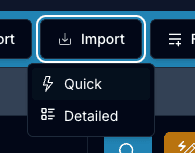
Import buttons are hidden unless the feature is enabled for the project.
NEXT_PUBLIC_IMPORT_FEATURE_TOGGLE=1 # 0 hides import buttons, 1 shows themWhen the toggle is 0, the import action does not render on the listing.
How the import runs
The import is a two-step operation, and the run itself is asynchronous.
Create the job
The file is sent as base64 to the save endpoint. The API stores it as an import_job resource and returns its id. No rows are written yet.
Execute the job
A second call pushes the job to the messenger queue.
The worker runs it
A worker picks up the job and writes the rows later, outside the request.
The execute call only confirms that the job was queued. It does not return the result of the run. The rows are processed later by a worker, so the outcome is read from the job view (job/import/{id}), not from the HTTP response.
Components
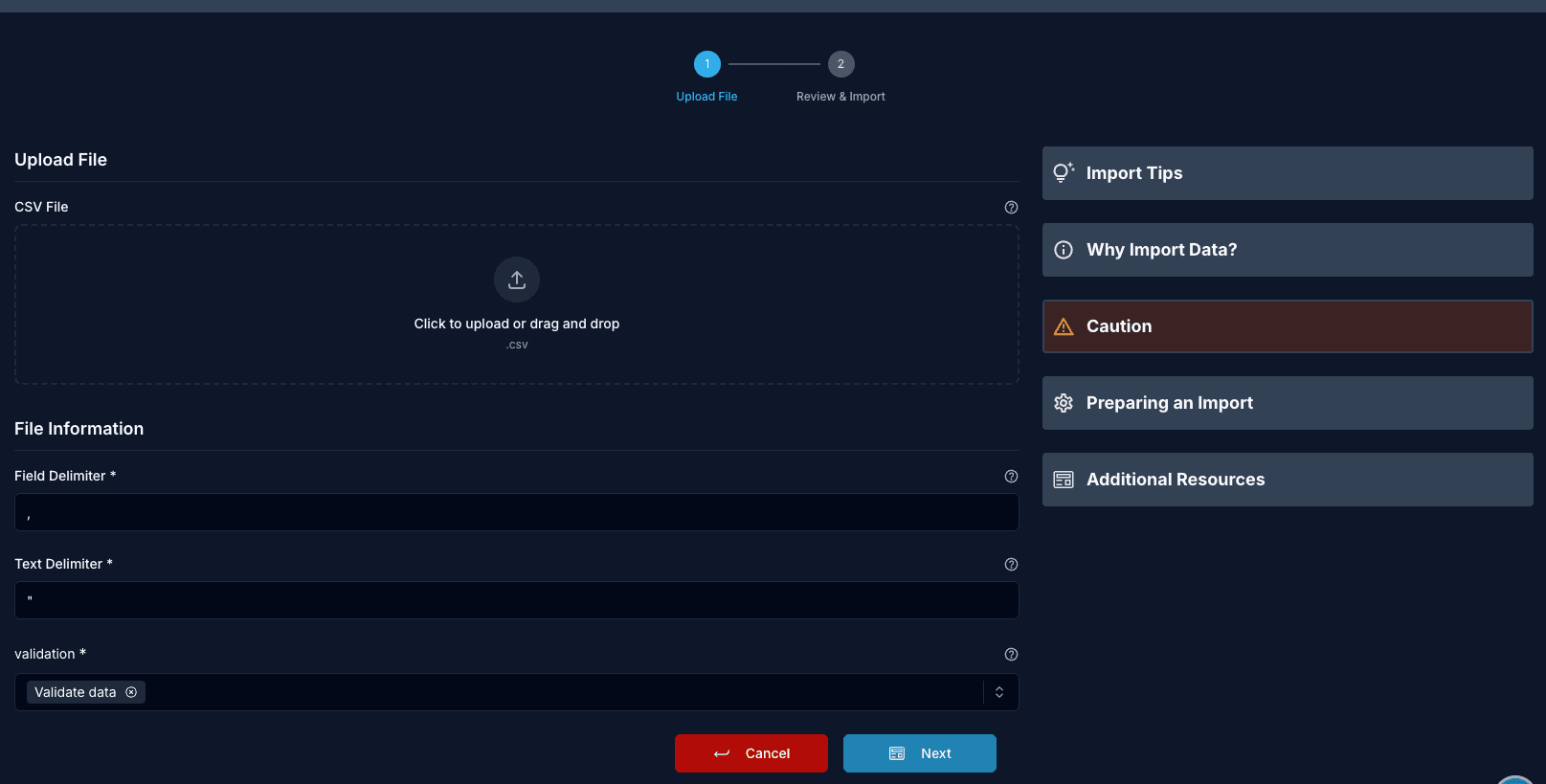
The import screens live in the ImportEntity component group: DocumentationSidebox, FileUploader, ImportForm, ImportTable, and ReviewContainer.
FileUploader
Drag-and-drop upload with client-side validation and a preview of the parsed file.
interface FileUploaderProps {
  form: UseFormReturn<ImportFormDataType>; // React Hook Form instance
  fqcn_bui: IFQCN_BUI;                     // Component configuration
  onImport: (jobId: string) => void;       // Called with the created job id
  locale: string;                          // Locale for translations
}
Features:
- Drag and drop file selection
- File type and size validation
- CSV preview before import
- Upload progress
- Error messages on invalid files
ImportTable
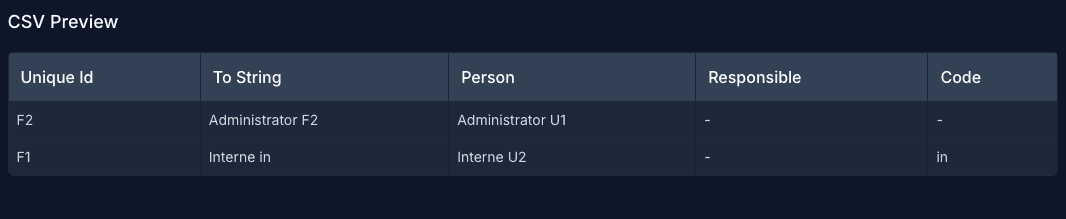
Preview table for the parsed CSV data.
interface ImportTableProps {
  csvData: CSVDataType; // Parsed CSV data
  locale?: string;      // Locale for translations
}

interface CSVDataType {
  headers: string[];    // Column headers
  rows: string[][];     // Data rows
}
ImportForm
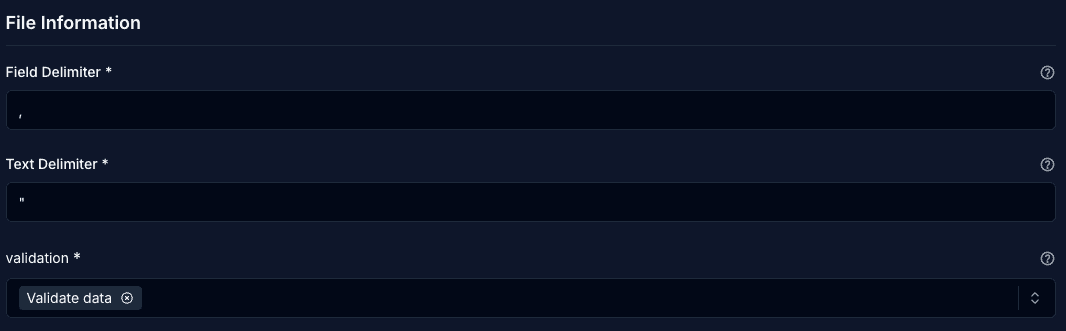
Configuration form for the import options, delimiters, and validation mode.
interface ImportFormProps {
  form: UseFormReturn<ImportFormDataType>; // Form instance
  fqcn_bui: IFQCN_BUI;                     // Configuration
  csrfJwt: string;                         // CSRF token
  locale?: string;                         // Locale
  tenant: string;                          // Tenant identifier
}
ReviewContainer
Shows the parsed data next to the chosen options for a final check before the import starts.
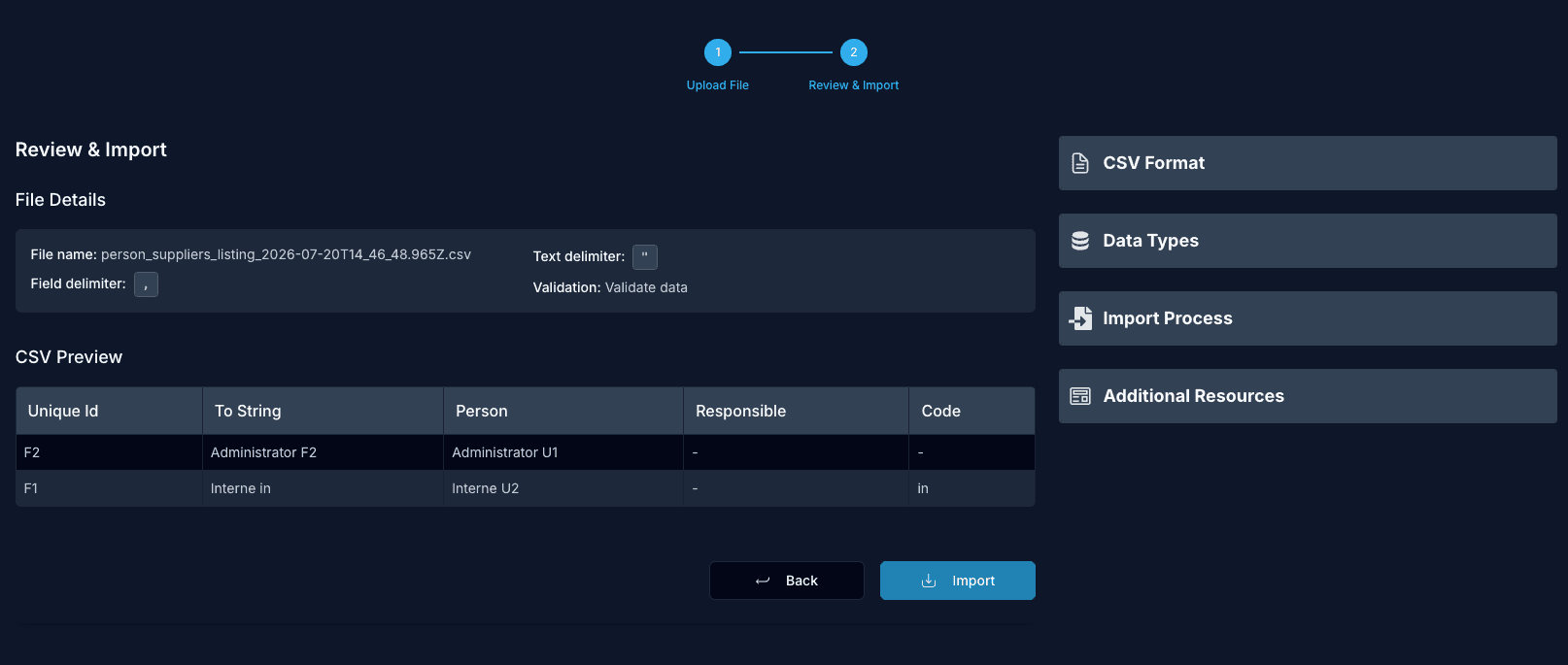
DocumentationSidebox
Inline help that explains the expected column headers and the header actions for the current entity.
Import options
The form drives the request body sent to the API.
| Option | Default | Description |
|---|---|---|
fileName | Name of the uploaded file. | |
fieldDelimiter | , | Character that separates columns. |
textDelimiter | " | Character that wraps a text value. |
validation | validate | Validation mode applied by the worker. |
Validation modes
| Value | Behavior |
|---|---|
validate | Validate every row. If anything is invalid, the import fails and nothing is written. |
skipValidation | Write rows without validation. |
saveValidOnly | Validate every row and write only the valid ones. |
Validation runs inside the worker, not in the browser and not when the job is created. A file with invalid rows can still upload and queue without an error on the frontend. The failure shows up in the job log.
Usage example
import {
  FileUploader,
  ImportTable,
  ImportForm,
  ReviewContainer,
} from "@phpcreation/frontend-crud-react-nextjs-bundle/components";

function ImportPage() {
  const form = useForm<ImportFormDataType>({
    defaultValues: {
      file: null,
      fileName: "",
      fieldDelimiter: ",",
      textDelimiter: '"',
      validation: "validate",
    },
  });

  const [csvData, setCsvData] = useState<CSVDataType | null>(null);
  const [jobId, setJobId] = useState<string | null>(null);

  return (
    <div>
      <FileUploader
        form={form}
        fqcn_bui={{ Bundle: "product", Unit: "product", Interface: "import" }}
        onImport={(id) => setJobId(id)}
        locale="en"
      />

      {csvData && <ImportTable csvData={csvData} />}

      <ImportForm
        form={form}
        fqcn_bui={{ Bundle: "product", Unit: "product", Interface: "import" }}
        csrfJwt={csrfToken}
        tenant={tenant}
        locale="en"
      />

      {csvData && (
        <ReviewContainer
          importData={csvData}
          formConfig={form.getValues()}
          onConfirm={() => startImport()}
        />
      )}
    </div>
  );
}
API contract
The components map to two calls. Full details are in API V3 Import Jobs.
Create job
POST /open-api/v3/import_jobs/entity/{bundle}/{entity}/save{
"originalFileName": "products.csv",
"base64FileContent": "<base64 csv>",
"corporationId": 1,
"validation": "validate",
"fieldDelimiter": ",",
"textDelimiter": "\""
}Returns the created job, including its id.
Reading the result
The run outcome is not returned by the API. Open the job at job/import/{id} to read its log. The log shows a dry run summary and then the errors raised during the write, for example a unique constraint conflict or a missing required field. See Import Usage for how to read the log and re-run a failed job.
