App-Level Translations Flow
This documentation defines the usage of the dictionary_keys API and the language translations flow in all the frontend projects.
1. Translation priorities
The frontend language translations are classified into priorities:
| Priority | Source | What it is |
|---|---|---|
| 1 | User defined translations | Defined through KVS |
| 2 | Enterprise defined translations | Defined through KVS, which means either the user field will be set as null to be available to all users, or selected users will be able to access those keys |
| 3 | dictionary_keys API | Defined in the ERP CRUD |
| 4 | Frontend app translations | Defined in the public/locales/{locale}.json file, which can be subdivided into categorized JSON objects — see Translation |
2. Fetching and caching
First of all, the app will fetch all the user and admin KVS globally on the first load, and then the dictionary_keys will be fetched based on the current locale in the URL:
https://demo.dev.phpreaction-crud-v2.phpr.link/enThis will get cached for 30ms on dev, which can be revalidated with a refresh button on the show page of the dictionary_keys page:
https://demo.dev.phpreaction-crud-v2.phpr.link/en/dictionary-keys/222153. Entity translations are not app translations
Each entity has a Translatable implement which can be used on the add and edit forms of the CRUD as a Translatable section, where users can set the title and the description.
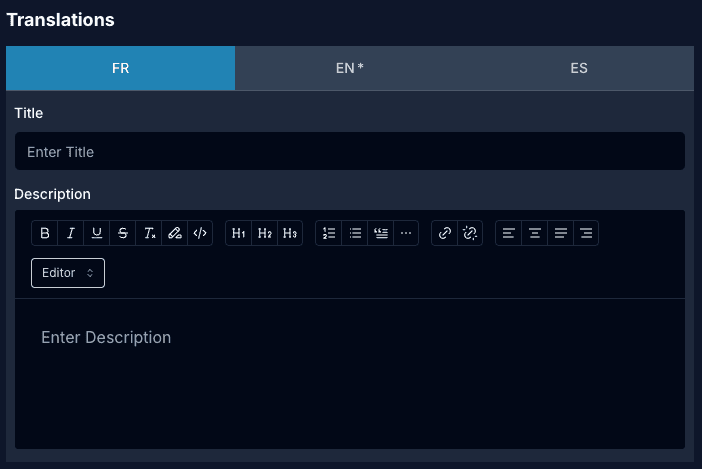
The Translatable section on the add form of an entity, for example:
https://demo.dev.phpreaction-crud-v2.phpr.link/en/invoice-types/newThese translations are not the app-level translations. Instead, these are the title and description of that specific record in any locale.
The creation/editing APIs do not require any locale; however, from the CRUD perspective the default and required locale can be extracted from the user account project:
https://demo1.dev.account.phpr.link/en/preferencesThere the user can select any locale as their default option — en_CA, fr_CA or es — however the fallback locale is fr.
For the entity side of this, see Lang Translations API & Usage and the backend interface behaviour.
4. Previewing the flow
To preview the app-level translations flow, there is a dictionary-demo page on the ERP CRUD where the user can check the translation of any keyword and its priority usage on the frontend:
https://demo.dev.phpreaction-crud-v2.phpr.link/en/dictionary-demo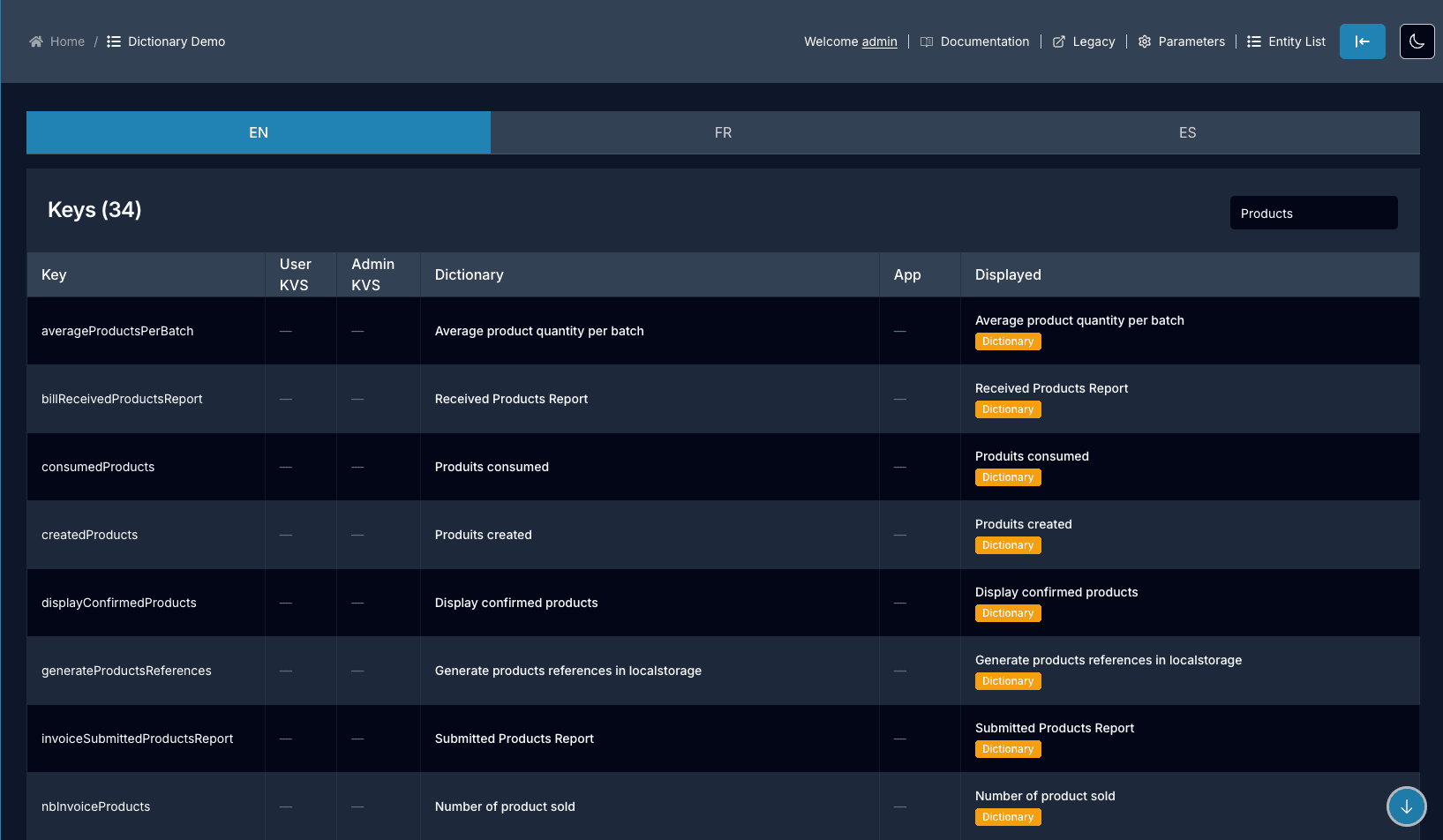
The page lists the keys of the selected locale (EN / FR / ES) and shows, for each key, the value coming from every source. User KVS, Admin KVS, Dictionary and App, with the final Displayed value and a badge naming the source it was resolved from.