Creating a report
A report is four records created in order: a template (the JSON), a widget (the query + which template renders it), a report (the container), and a link joining the two. Each step is a CRUD form that POSTs to the API, and the payloads below are what actually goes over the wire.
The examples use the dev CRUD (demo.dev.phpreaction-crud-v2.phpr.link) and the dev API (demo.cdk-ecs-dev.phpreaction.com).
Step 1: Create a template
Form: /[locale]/templates/new · POST /open-api/v3/templates
source holds the template JSON schema as a plain string.
{
  "dataProcessor": "/open-api/v3/dataanalysis_dataprocessors/22",
  "name": "PHPReactionReport/Widget/ListingTableTemplate:2",
  "goal": "PHPReactionReport/Widget/ListingTableTemplate",
  "source": "{ ...your template JSON... }",
  "priority": 6,
  "slug": "08b948ab-3ac1-4180-bef4-fb77c02d1598"
}
Step 2: Create a widget
Form: /[locale]/dashboard-widgets/new · POST /open-api/v3/dashboard_widgets
The widget points at a data processor (the query) and names the template that renders it.
{
  "dataProcessor": "/open-api/v3/dataanalysis_dataprocessors/22",
  "title": "PHPReactionReport/Widget/ListingTableTemplate",
  "description": "<p>PHPReactionReport/Widget/ListingTableTemplate</p>",
  "viewName": "PHPReactionReport/Widget/ListingTableTemplate",
  "viewNameAPI": "PHPReactionReport/Widget/ListingTableTemplate",
  "priority": 0,
  "slug": "a1123e8d-8d05-4f6e-af0e-1cbed5e75294"
}
Step 3: Create a report
Form: /[locale]/dashboard-reports/new · POST /open-api/v3/dashboard_reports
The report is just the container.
{
  "type": "/open-api/v3/dashboard_reporttypes/4",
  "title": "PHPReactionReport/Widget/ListingTableTemplate",
  "description": "<p>PHPReactionReport/Widget/ListingTableTemplate</p>",
  "notes": "<p>PHPReactionReport/Widget/ListingTableTemplate</p>",
  "slug": "e0a9cfb7-daa1-4fc4-8a52-79721afcb70b"
}
Step 4: Link the report to the widget
Form: /[locale]/dashboard-reports/[id] · POST /open-api/v3/dashboard_reportwidgets
This puts the widget onto the report.
{
  "widget": "/open-api/v3/dashboard_widgets/87",
  "priority": 1,
  "report": "/open-api/v3/dashboard_reports/260"
}
View the report
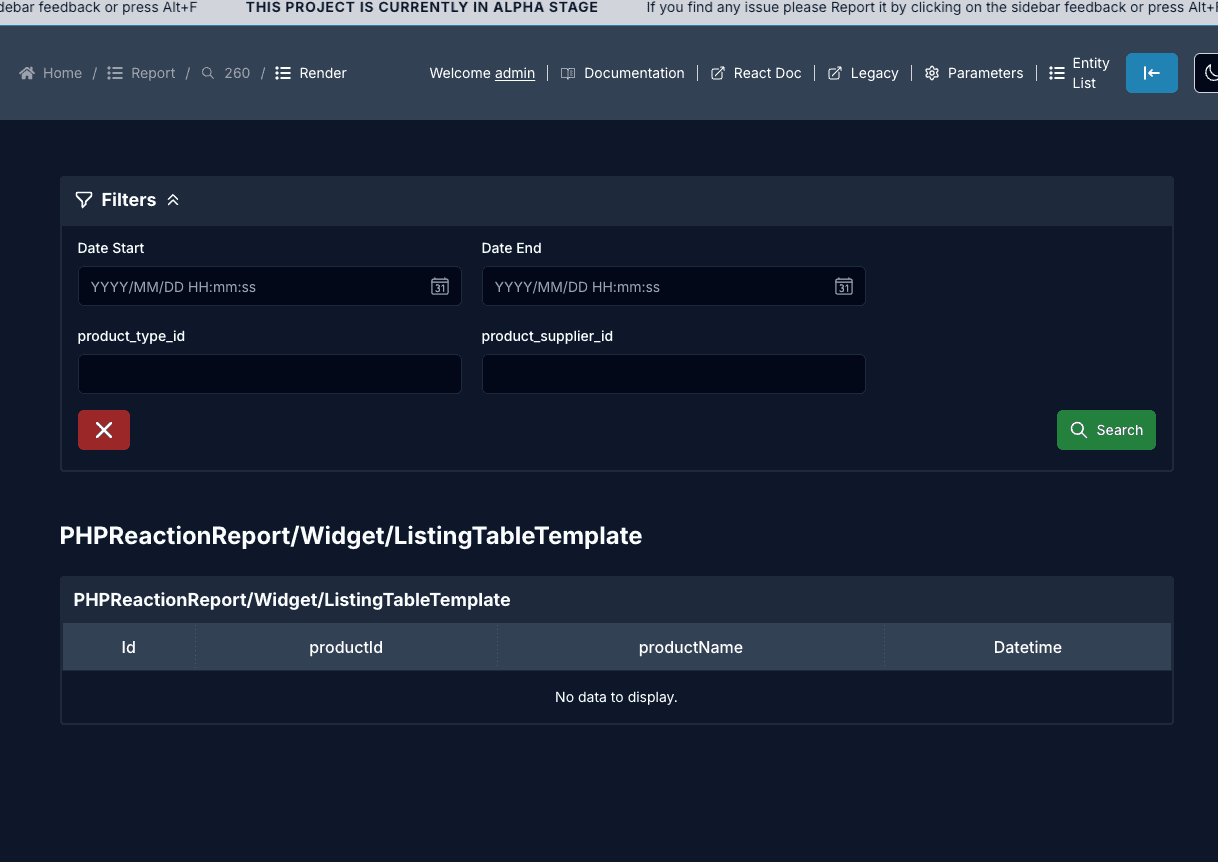
Render route: /[locale]/report/[id]/render, e.g. /en/report/260/render.
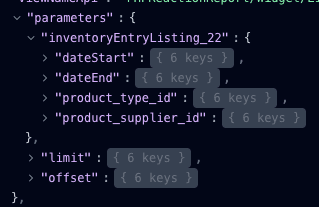
Filters are fetched dynamically from the widget’s metadata API, /open-api/v3/dashboard_widgets/87/metadata, so you don’t declare them in the template. See DataProcessor for the metadata (filters + result columns) and populate (rows) endpoints.